














Bubble Shooter 2020
 Hypercasual Games Games
2,745 Games
Hypercasual Games Games
2,745 Games
 2D
2,837 Games
2D
2,837 Games
 Bubble
59 Games
Bubble
59 Games
 Bubble Shooter
435 Games
Bubble Shooter
435 Games
 Shooting
1,572 Games
Shooting
1,572 Games
 WebGL
1,710 Games
WebGL
1,710 Games
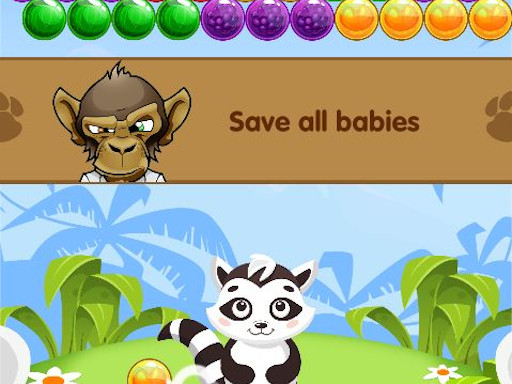
Bubble Shooter 2020 is a colorful puzzle game where you aim and fire to match bubbles. The goal is to clear the board by grouping three or more bubbles of the same color. With simple controls and a relaxing pace, it offers a classic arcade feel that is easy to pick up and enjoy.
How To Play Bubble Shooter 2020
Use your mouse or touchscreen to aim and click or tap to shoot. The main task is to match three or more bubbles of the same color to make them pop. Keep clearing the board until no bubbles remain to complete each level.
Controls and Features
The game uses mouse or touchscreen controls for aiming and shooting. It features multiple levels you can try to beat. The core mechanic is shooting bubbles to match colors and clear the board. This Bubble Shooter game offers a simple yet engaging Hypercasual Games experience.
Tips
Take your time and plan each shot carefully. Aim at the bubble cluster to match three or more of the same color. This helps you pop more bubbles at once and clear the board faster.
FAQ
How do I control Bubble Shooter 2020?
Use your mouse or touchscreen to aim and click or tap to shoot. The controls are simple and work on both desktop and mobile devices.
What is the main objective in Bubble Shooter 2020?
The objective is to clear the board by matching three or more bubbles of the same color. You keep shooting until all bubbles are removed.
Can I play Bubble Shooter 2020 on different devices?
Yes, the game supports both mouse and touchscreen controls. It works well on desktops, tablets, and phones for easy access.
What is the core mechanic of this bubble shooting puzzle game?
The main mechanic is aiming and shooting bubbles to match colors. Matching three or more bubbles of the same color makes them pop and clears the board.