











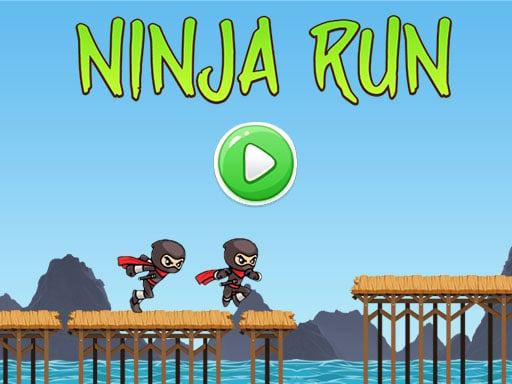


GN Ninja Run
 Arcade Games Games
5,669 Games
Arcade Games Games
5,669 Games
 Atv
54 Games
Atv
54 Games
 HTML5
59 Games
HTML5
59 Games
 Ninjago
99 Games
Ninjago
99 Games
 Point And Click
980 Games
Point And Click
980 Games
 Running
1,421 Games
Running
1,421 Games
HTML5 arcade games deliver quick, reflex-driven fun, and GN Ninja Run is a standout browser title. This fast-paced challenge keeps you hooked as you dodge bombs and collect coins. Its simple design makes it easy to learn, yet the action remains engaging for players who enjoy quick sessions and high-score runs.
How To Play GN Ninja Run
Leap over wooden bridges and avoid explosive hazards while gathering coins. The goal is to survive as long as possible by timing your jumps with precision. This straightforward approach offers a clean way to play, focusing purely on reflexes and score improvement through repeated attempts.
Controls and Features
Use the arrow keys or spacebar to guide your ninja. The up arrow or spacebar makes your character jump, while left and right arrows adjust positioning. The game features an automatic running action, and there are no stated safety features or special modes to enable.
Tips
Time your jumps carefully to clear bombs and land safely. Maintain a steady pace while collecting coins to build a higher score than your last run. Consistent timing and focused movement are key to mastering this Arcade Games experience.
FAQ
How do you control the ninja in GN Ninja Run?
Use the arrow keys or spacebar to jump and move sideways. The up arrow or spacebar handles jumping, while left and right arrows shift your position during the run.
What is the main objective of the game?
The main goal is to collect coins and avoid bombs to achieve a high score. Success depends on reflexes and how long you can survive the automatic running action.
Can I play GN Ninja Run on mobile devices?
GN Ninja Run is a browser game built with Point And Click technology, making it accessible on various devices. However, the game uses keyboard controls, so a physical keyboard may offer the best experience.
Is there a story or theme in this game?
The game focuses on a ninja running and jumping through obstacles. The theme is light and action-oriented, with the Ninjago style reflected in the character and setting.