 gamesonline.org.es

Popular Games
Last Played


456: Survival game 4 levels
4 plays


































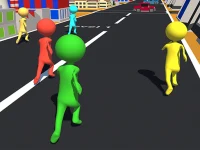


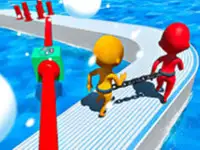



456: Survival game 4 levels
Test your skills in 456: Survival game 4 levels, a fast-paced racing game where timing is everything. Navigate through four challenging levels while avoiding elimination. This game pushes your reflexes and patience to the limit with its intense gameplay.
How To Play 456: Survival game 4 levels
Your goal is to survive four levels by following on-screen instructions. Move carefully and time your actions precisely to avoid elimination. The game blends simple controls with high-pressure challenges.
Controls and Features
Use arrow keys or WASD for movement, the spacebar for actions, and mouse clicks for certain challenges. The game includes a Red Light Green Light mode and a candy cutting challenge that tests your precision.
Tips
Move slowly and focus on timing to succeed. The Dalgona candy challenge requires steady hands and sharp reflexes, so take your time during this part.
FAQ
How do you play 456: Survival game 4 levels?
You must survive four levels by avoiding elimination through precise timing and following on-screen instructions. The game tests your reflexes and patience under pressure.
What are the controls for 456: Survival game 4 levels?
The game uses arrow keys or WASD for movement, spacebar for actions, and mouse clicks for certain challenges. These controls help you navigate the various levels.
Does 456: Survival game 4 levels have a timer?
There is no timer mentioned in the game. Your success depends on avoiding elimination rather than racing against the clock.
What makes 456: Survival game 4 levels challenging?
The game challenges your reflexes and patience with its instant games online shapes mechanics. You must time your movements carefully to progress through each level.
```About this game
- Controls
- Red Light - Blue Light is one of the most thrilling challenges in the fish game And we launch the game 456 Survival Challenge to help you transform into the main character number 456 and experience the death games When you incarnate into player numbe
- Supported devices
- Desktop
- Genre
- Racing Games
- Release date
- 24 October 2024
- Latest update
- 24 October 2024
- Rating
- No ratings yet