 gamesonline.org.es

Popular Games
Last Played


Car Mechanic Simulator
1 plays




























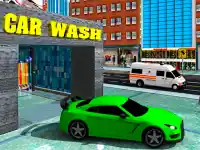








Car Mechanic Simulator
Car Mechanic Simulator lets you step into a busy garage to fix and upgrade cars. You take parts apart, diagnose issues, and help vehicles run smoothly again. This single-player simulation rewards patience and careful work as you learn the workshop, manage time and resources, and enjoy a grounded, hands-on experience with real automotive repair.
How To Play Car Mechanic Simulator
Enter the workshop, clean and perform the oil change minigame, then follow prompts to interact with parts. You disassemble engines, diagnose faults, and restore vehicles to peak performance. The game guides you through each task so you can learn the repair process at a comfortable pace.
Controls and Features
Click or tap on tools with your mouse or finger to use them. Keys help you switch between parts and tools, and the interface is straightforward. You manage time and resources while working through repairs, and the 3D Games presentation keeps the garage feeling realistic and easy to navigate.
Tips
Plan your repairs and watch your time and resources. Progress can feel slow, so be patient as you fix and upgrade cars. Focus on diagnostics before swapping parts, and keep your workspace organized to avoid mistakes during longer jobs.
FAQ
Does Car Mechanic Simulator have a multiplayer mode?
It is primarily a single-player experience. You work alone in the garage, diagnosing and fixing cars at your own pace.
What are the controls in Car Mechanic Simulator?
You click or tap on tools using your mouse or finger, and keys let you switch between parts and tools for easy access.
What is the main mechanic in this game?
The main mechanic involves taking parts apart and diagnosing issues to make vehicles run smoothly again.
Is there a timer or hints?
, but you can manage your time and resources as you work through repairs and upgrades.
About this game
- Controls
- Use WASD or Arrows to walk Mouse - to choose necessary equipment
- Supported devices
- Desktop
- Genre
- Racing Games
- Release date
- 24 October 2024
- Latest update
- 24 October 2024
- Rating
- No ratings yet