 gamesonline.org.es

Popular Games
Last Played


City Construction Simulator Excavator Games
1 plays
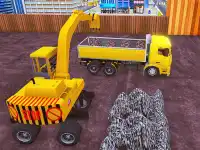



































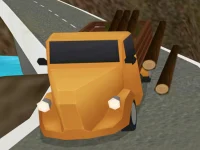




City Construction Simulator Excavator Games
Test your skills in City Construction Simulator Excavator Games, where you operate heavy machinery to tackle city-building challenges. Navigate tricky urban environments under a tight six-minute deadline, overcoming obstacles and uneven terrain. This simulation game offers realistic physics and precise controls for an immersive experience.
How To Play City Construction Simulator Excavator Games
Start by picking a level, then use arrow keys or on-screen buttons to maneuver your excavator. Focus on completing construction tasks efficiently while adapting to the game's sluggish but tactical physics. The timer adds pressure, so plan your movements carefully.
Controls and Features
The game supports both keyboard and touch controls for movement and actions. The Unity3D engine delivers smooth performance with detailed physics. Missions include building and transport tasks, each with a strict six-minute limit. The controls feel heavy to simulate real machinery.
Tips
Take your time to avoid crashes. Slow, deliberate movements help maintain control. Watch for obstacles like uneven terrain that can slow you down. Managing time is key to success in this fast-paced action game.
FAQ
How do you control the excavator in City Construction Simulator Excavator Games?
Use arrow keys or on-screen buttons to steer and operate the machinery. The controls are designed to feel heavy and responsive, like real construction equipment.
What is the main challenge in this simulation game?
The six-minute time limit per mission forces quick decision-making. You must navigate obstacles while completing tasks efficiently to succeed.
Can I play this on mobile devices?
Yes, the game supports touch controls for mobile play. The interface adapts to both keyboard and screen-based inputs.
What makes the physics unique in this excavator game?
The machinery moves with deliberate, sluggish physics to mimic real-world excavation. This adds to the challenge of precise construction work.
About this game
- Controls
- WASD or D-pad - move C - camera
- Supported devices
- Desktop
- Genre
- Action Games
- Release date
- 24 October 2024
- Latest update
- 24 October 2024
- Rating
- No ratings yet