 gamesonline.org.es

Popular Games
Last Played


Fashion Nail Salon - Manicure Game
1 plays




































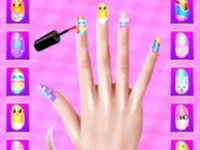
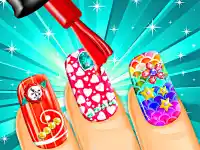



Fashion Nail Salon - Manicure Game
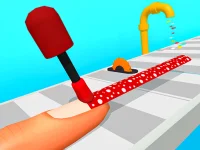
Ready to unleash your creativity in Fashion Nail Salon - Manicure Game? This hypercasual game lets you design stunning nail art with easy-to-use tools. Pick your favorite colors, patterns, and accessories to craft a one-of-a-kind nails game masterpiece. Perfect for makeover game fans, it's all about self-expression and fun!
How To Play Fashion Nail Salon - Manicure Game
Start by choosing a nail shape and color. Use virtual brushes to apply polish, then add patterns and gems. Experiment with different designs until you're happy with the result. The goal is to create beautiful, unique nail art.
Controls and Features
Play with simple point-and-click controls. Select colors and tools, then drag to apply them. The game focuses on creativity without timers or hints. Drag motions help you apply polish and patterns smoothly for a polished finish.
Tips
Take your time and match patterns carefully. Use all the tools to add details. Layering colors and designs makes your nail art stand out. Practice makes perfect in this relaxing nails game.
FAQ
How do I start playing Fashion Nail Salon - Manicure Game?
Choose a nail shape and pick your base color. Then use the tools to apply polish and patterns to create your design.
What tools are available in the game?
You can use brushes, patterns, and accessories to decorate your nails. Each tool helps you add different elements to your design.
Is there a time limit in Fashion Nail Salon - Manicure Game?
No, you can take as much time as you need to create your perfect nail art without any pressure.
Can I save my creations in the game?
The game doesn't mention saving designs, so focus on enjoying the creative process.
```About this game
- Controls
- Tap or click
- Supported devices
- Desktop
- Genre
- Hypercasual Games
- Release date
- 24 October 2024
- Latest update
- 24 October 2024
- Rating
- No ratings yet