 gamesonline.org.es

Popular Games
Last Played


Geometry Vibes 3D
5 plays























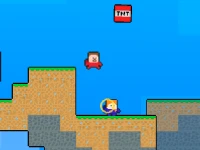


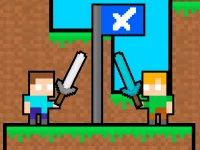

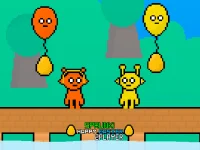




Geometry Vibes 3D
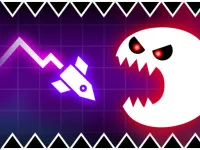
Get ready to elevate your reflexes and rhythm-based skills to new dimensions with Geometry Vibes 3D, a vibrant, dynamic 3D world that takes everything you loved about the original and brings it to life. With fully reimagined levels and stunning new visuals, this version is a must-play for fans of arcade games and 3D action.
How To Play Geometry Vibes 3D
Playing Geometry Vibes 3D is easy - simply use your mouse or tap to play. For player 1, use the left mouse click or spacebar to control your movements, while player 2 in 2 player mode can use the up arrow key on their keyboard or tap anywhere on the screen to jump.
Arcade Games and 1 Player
In Geometry Vibes 3D, you'll enjoy the thrill of playing a classic game with a modern twist. With fully reimagined levels and stunning new visuals, this version is a must-play for fans of 3D action. The gameplay is simple, yet challenging, making it perfect for players of all skill levels.
Tips and Tricks
Here are a few tips to help you get the most out of your gameplay experience: Use the up arrow key to jump and navigate through levels, and tap anywhere on the screen to control your movements in 2 player mode. You can also use the left mouse click or spacebar to control your movements in single player mode.
Frequently Asked Questions
What is the main difference between Geometry Vibes 3D and the original game?
The main difference between Geometry Vibes 3D and the original game is that the new version takes everything you loved about the original and brings it to life in a vibrant, dynamic 3D world.
Can I play Geometry Vibes 3D with a friend?
Yes, you can play Geometry Vibes 3D with a friend in 2 player mode. Simply use the up arrow key on your keyboard or tap anywhere on the screen to jump and control your movements.
How do I control my movements in Geometry Vibes 3D?
In Geometry Vibes 3D, you can control your movements using the left mouse click or spacebar for player 1, and the up arrow key on your keyboard or tap anywhere on the screen to jump for player 2 in 2 player mode.
What are the system requirements for playing Geometry Vibes 3D?
The system requirements for playing Geometry Vibes 3D include a mouse or touch controls for navigation, and a keyboard or touch controls for inputting movements.
About this game
- Supported devices
- Desktop
- Genre
- Arcade Games
- Release date
- 01 October 2026
- Latest update
- 01 October 2026
- Rating
- No ratings yet