 gamesonline.org.es

Popular Games
Last Played


Lost My Chicken
3 plays















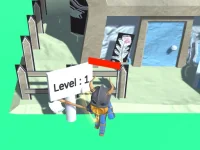



























Lost My Chicken
Lost My Chicken is a playful browser adventure where you search for a missing chicken in a vibrant, chaotic world. You must navigate obstacles and solve puzzles to track down the runaway bird. This hypercasual games experience runs smoothly in any modern browser and invites players of all ages to explore, collect clues, and enjoy a lighthearted challenge.
How To Play Lost My Chicken
Use the arrow keys to move around the environment and press the up arrow to jump over hazards. Clean up the area and search carefully for the chicken. The game encourages exploration as you uncover hidden paths and solve simple puzzles to progress through each stage.
Controls and Features
Use arrow keys for movement, with the up arrow for jumping or climbing. Press the spacebar to interact with objects you find. The game is designed for Hypercasual Games and runs entirely in a web browser using WebGL graphics for smooth, colorful visuals.
Tips
Move slowly to avoid falling off ledges. Keep an eye out for visual clues and collect keys and coins to unlock new stages. Patience and careful observation help you find the chicken faster.
FAQ
What are the controls for Lost My Chicken?
The controls use arrow keys for movement, the up arrow to jump, and the spacebar to interact with objects while playing in a browser.
What is the main objective in Lost My Chicken?
The main objective is to find the missing chicken by navigating obstacles and solving puzzles in a chaotic world.
Can I play Lost My Chicken on any device?
Yes, the game runs in a browser and uses WebGL, making it accessible on most modern computers and devices.
What gameplay mechanics are featured in Lost My Chicken?
The game focuses on platforming, puzzle solving, and exploration, with players collecting keys and coins to unlock stages.
About this game
- Controls
- Mouse click left or right to move chicken
- Supported devices
- Desktop
- Genre
- Hypercasual Games
- Release date
- 24 October 2024
- Latest update
- 24 October 2024
- Rating
- No ratings yet