 gamesonline.org.es

Popular Games
Last Played


Moto 3D Racing Challenge
0 plays

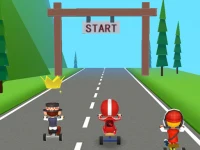




















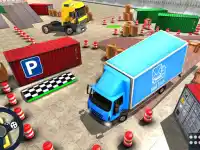

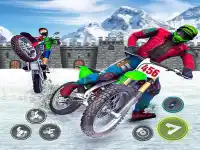



Moto 3D Racing Challenge
Bike games deliver fast arcade action, and 3D Games make it feel lively. Moto 3D Racing Challenge is a free browser title where bikes zoom past and coins fly everywhere. The vibe feels old school as you chase a high score with a quirky style.
How To Play Moto 3D Racing Challenge
Start by choosing a bike and a track. Use the arrow keys to accelerate, brake, and steer while collecting gold coins. The goal is to beat your high score in a fast, arcade style race.
Controls and Features
Arrow keys handle acceleration, braking, and steering. The spacebar triggers tricks, though it can feel a bit finicky. Collect coins and perform tricks to improve your rank. The main loop is simple, and the focus stays on quick runs and score chasing.
Tips
Keep a slow, steady pace when turning to stay on track. Save the spacebar for tricks only when you are in the air, which helps you gather more coins and keep your run smooth.
FAQ
How do I control my bike in Moto 3D Racing Challenge?
Use the arrow keys to accelerate, brake, and steer. Press the spacebar to perform tricks while you are in the air, which can help you earn more coins.
What is the main goal?
Collect gold coins and perform tricks to improve your rank. Aim to beat your high score in each run while staying in control on every turn.
Can I choose different bikes and tracks?
Yes. You can select a bike and a track at the start, then focus on coin collection and clean racing lines to set a better score.
Does the game include a timer?
The focus is on chasing a high score through coin collection and trick performance rather than a specific timed mode.
About this game
- Controls
- Tap - speed up or make stunt actions Slide - move
- Supported devices
- Desktop
- Genre
- Arcade Games
- Release date
- 24 October 2024
- Latest update
- 24 October 2024
- Rating
- No ratings yet