 gamesonline.org.es

Popular Games
Last Played


Poppy Office Nightmare
2 plays













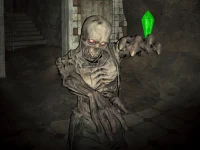






























Poppy Office Nightmare
Poppy Office Nightmare offers a tense survival experience inside a dark office. The player must avoid Huggy Wuggy while searching for every toy to clear the path. This Arcade Games title delivers arcade-style horror tension in a compact, focused setting that rewards careful movement and quick thinking.
How To Play Poppy Office Nightmare
Use WASD to move and the mouse to look around. Press Space to hide or interact. Your goal is to clean the path by finding all toys to survive. This 1 Player challenge keeps the action tight and personal.
Controls and Features
WASD controls movement, the mouse handles looking, and Spacebar triggers hiding or interaction. The Unity3D engine supports smooth 3D navigation through the dark office. The survival objective is simple: collect every toy and avoid Huggy Wuggy without a stated timer.
Tips
Move slowly to avoid detection and listen for sound cues that help you locate Huggy Wuggy. Manage your time to find all toys efficiently. This WebGL experience plays smoothly in a browser.
FAQ
What are the controls in Poppy Office Nightmare?
WASD moves your character, the mouse controls your view, and Space lets you hide or interact with objects in the office.
How do you win the game?
You win by finding every toy to clear the path while avoiding Huggy Wuggy throughout the dark office environment.
Can I play this as a 3D Games experience?
Yes, the Adventure perspective uses 3D movement and exploration, making the office feel tense and immersive.
Does the game use Cartoon Network style visuals?
While not officially branded, the cartoon-like art style fits the Cartoon Network aesthetic and keeps the horror playful.
About this game
- Controls
- WASD - Move LMB - Attack P - Pause C - Crouch Space - Jump
- Supported devices
- Desktop
- Genre
- Arcade Games
- Release date
- 24 October 2024
- Latest update
- 24 October 2024
- Rating
- No ratings yet