 gamesonline.org.es

Popular Games
Last Played


Protect a Brainrot
2 plays

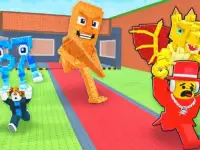










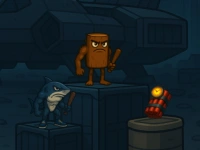














Protect a Brainrot
Get ready to experience Idle gameplay with a twist in Protect a Brainrot, a unique arcade game where strategy meets clicker fun. This game allows you to mine resources, defend your base, and raid other players to earn coins.
How To Play Protect a Brainrot
Protect a Brainrot is a brain-rotting experience where you mine resources and defend your base. You'll need to repel attackers and steal Brainrots from other players for passive income.
Controls and Features
On PC, use WASD to move, the mouse to look, the SPACE bar to jump, E to interact, and right mouse button for pickaxe strikes. Mobile players can control the game with a left joystick, screen swipes, and buttons for jump, interact, and attack. The game features a mining clicker, passive income, defense mechanisms, and player vs player raids.
Tips
When playing Protect a Brainrot, use your pickaxe to mine and defend your base. Be slow and precise when attacking to ensure accurate strikes against raiders and during raids on other bases.
FAQ
How do I control the game?
Use WASD to move, the mouse to look, the SPACE bar to jump, E to interact, and right mouse button for pickaxe strikes.
What is the main objective of Protect a Brainrot?
Defend your base, raid other players, and mine resources to earn coins for passive income.
What features does Protect a Brainrot include?
The game features a mining clicker, passive income, defense mechanisms, and player vs player raids.
How can I improve my gameplay experience?
Be precise and slow when attacking to ensure accurate strikes against raiders and during raids on other bases.
About this game
- Controls
- **Controls for PC:** * WASD — move the character. * Move the mouse cursor to look around. * SPACE — make the character jump. * E — interact with objects. * RMB (Right Mouse Button) — strike with a pickaxe. **Controls for mobile devices:** * Left joystick — control movement. * Swipe on the right side of the screen to look around. * Right button with an up arrow — jump. * Right button with a hand icon — interact. * Attack button — hit with a pickaxe. • You can change the mouse sensitivity in the settings.
- Supported devices
- Desktop
- Genre
- Arcade Games
- Release date
- 20 February 2026
- Latest update
- 20 February 2026
- Rating
- No ratings yet