 gamesonline.org.es

Popular Games
Last Played


Super Slime Simulator
1 plays
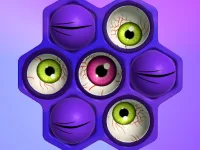












































Super Slime Simulator
Get creative with the Super Slime Simulator! This fun and colorful game lets you mess around with slime visuals, choosing colors, textures, and decorations to make your slime unique. Perfect for kids and anyone looking for a relaxing experience, the game is easy to pick up and play on your mobile device.
How To Play Super Slime Simulator
Start by cleaning your palette to pick colors using sliders, then click to add decorations. You can play by dragging items into place until the texture looks perfect.
Controls and Features
Use your mouse or touch to click on color palettes, textures, and decorations. Sliders are used to tweak properties and get the perfect look.
Tips
Work slowly to get textures right. Keep dragging items into place until the slime looks the way you want.
FAQ
What are the controls?
You click and move sliders.
What is the objective?
It's to create a slime using colors and decorations.
Is there a timer?
No, there isn't a timer in the game.
What is the main mechanic?
Dragging and clicking to customize your slime.
About this game
- Controls
- Mouse or tap to play
- Supported devices
- Desktop
- Genre
- Arcade Games
- Release date
- 18 March 2024
- Latest update
- 18 March 2024
- Rating
- No ratings yet