 gamesonline.org.es

Popular Games
Last Played


What a Leg
4 plays























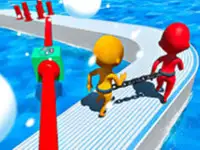




















What a Leg
The fast-paced browser game What a Leg is an exciting puzzle experience where players must switch legs to overcome obstacles. By switching between different leg types, you can successfully move through the levels.
How To Play What a Leg
In the game, you need to tap or press buttons to build legs on blocks. This racing through parkour courses requires a balance of speed and accuracy. By mastering this skill, you can earn better scores and achieve success.
Controls and Features
The game uses simple keys or buttons to construct different legs and rotate parts. This physics-based mechanism may feel stiff, but it is manageable for quick play. This will allow you to enjoy the racing experience and enjoy the satisfaction of success.
Tips
Keep your focus to succeed in What a Leg. You can achieve this by trying to switch legs efficiently while moving fast through obstacles. The key to success lies in finding a balance between speed and accuracy.
FAQ
Q1 Controls: What controls are used?
A: The game uses simple keys or buttons to construct legs.
Q2 Objective: What is the goal?
A: The objective is to lift legs efficiently and move fast through obstacles while overcoming challenges.
Q3 Features: Are there timers or modes?
A: The main feature is racing against your best time in different levels.
Q4 Mechanic: What is the main mechanic?
A: The main mechanic is switching between different leg types to overcome obstacles in a fun racing experience.
About this game
- Controls
- Single player mode Use MOUSE and LEFT-CLICK to draw legs Two player mode After drawing legs at the beginning of the game use the keys below for switching between the legs Player 1 W A S D Player 2 ARROW KEYS
- Supported devices
- Desktop
- Genre
- Racing Games
- Release date
- 18 March 2024
- Latest update
- 18 March 2024
- Rating
- No ratings yet