 gamesonline.org.es

Popular Games
Last Played


Zombie Shooting King
2 plays






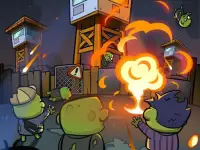













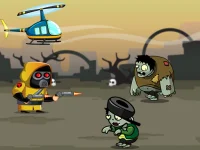























Zombie Shooting King
Get ready for a thrilling experience with Zombie Shooting King, an action-packed arcade game that combines the challenge of tower defense with the intensity of shooting games. This popular game is all about survival in a post-apocalyptic world overrun by zombies. You'll need to use your skills to fend off hordes of undead and collect diamonds to upgrade your arsenal.
How To Play Zombie Shooting King
Use your mouse to aim and fire at incoming zombies, collect diamonds and power-ups, and upgrade skills to clean the streets. With the right strategy, you'll be able to take on the zombie invasion and emerge victorious.
Arcade Games
As an arcade game, Zombie Shooting King offers fast-paced action and endless challenges. The game's controls are simple yet effective, allowing you to focus on the task at hand: shooting zombies and collecting diamonds.
Controls and Features
Shooting zombies is just the beginning - you'll also need to blow up fuel tanks, call airdrops, and secure more powerful weapons to progress through the game. The features include unlocking upgrades for Crit Rate and Coin earning, which will help you stay ahead of the zombie hordes.
Tips
Aim carefully and shoot Slow to hit targets. Use airdrops and blow up fuel tanks to clear obstacles and enhance your zombie-slaying capabilities.
FAQ
What is the objective of Zombie Shooting King?
Fend off waves of zombies invading the streets.
How do I upgrade my skills?
Collect diamonds and use them to upgrade your skills, such as Guardrail and ATK Boost.
Can I control the zombies?
No, the zombies are controlled by the game, and your goal is to shoot them and collect diamonds.
How do I unlock new upgrades?
Unlock new upgrades by collecting diamonds and using them to upgrade your skills and equipment.
About this game
- Controls
- Mouse click or tap to play
- Supported devices
- Desktop
- Genre
- Arcade Games
- Release date
- 19 May 2025
- Latest update
- 19 May 2025
- Rating
- No ratings yet