 gamesonline.org.es

Popular Games
Last Played


Talking Ben Coloring
5 plays






































Talking Ben Coloring
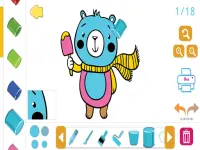
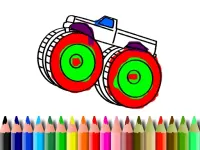
Looking for a fun way to unleash your creativity? Try Talking Ben Coloring, a browser-based coloring game where you bring images of Ben to life. With a simple click, you can fill different areas using a vibrant palette. This arcade game is perfect for kids and anyone who enjoys html5 games for your site that are easy to play.
How To Play Talking Ben Coloring
Start by choosing a Ben image from the gallery. Select a color from the palette and click on the areas you want to color. The game is all about precision and creativity, letting you customize Ben's look however you like.
Controls and Features
The game is controlled entirely with your mouse. You can click to select colors and fill in the designated zones. It includes multiple coloring images of Ben, giving you plenty of options to explore. The interface is straightforward, making it accessible for players of all ages.
Tips
Take your time to click carefully for clean results. If your internet is slow, the game might feel sluggish, so ensure a stable connection for the best experience.
FAQ
How do I save my artwork in Talking Ben Coloring?
After finishing your coloring, simply click the save button to keep your creation.
What are the main controls for this game?
Use your mouse to pick colors from the palette and click on the image to fill areas.
Does Talking Ben Coloring have a time limit?
The game does not mention any timer, so you can take as long as you want.
Is this game suitable for kids?
Yes, it's designed for a young audience and offers simple, engaging gameplay.
```About this game
- Controls
- Use mouse or tap the screen
- Supported devices
- Desktop
- Genre
- Arcade Games
- Release date
- 24 October 2024
- Latest update
- 24 October 2024
- Rating
- No ratings yet